 MOTOROLA DRIVERS FOR ALL MOTOROLA CELL PHONES
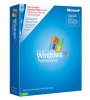
Make your Windows XP Professional Genuine

|
GENUINE XP.zip Size : 987.656 Kb Type : zip |
make your windows XP professional Genuine |
|
£ 3.00 |
|
|
Make you windows XP professional Genuine With this handy tool easy to install and activate. At last remove that annoying WGA message forever |
|
With Motorola Phone Tools you can transfer your pictures to your local PC and then make copies of them to a cd disc.
Keeping your memories alive,you can also make copies for friends and family and the cd's will work in any standard dvd player so you will see your memories on the tv.
V5.07 is the latest version and covers all of the Motorola phones.
So if you are interested please click on the link above.
yes i'm afraid there is a fee it will cost £3.70 to download.
Keeping your memories alive,you can also make copies for friends and family and the cd's will work in any standard dvd player so you will see your memories on the tv.
V5.07 is the latest version and covers all of the Motorola phones.
So if you are interested please click on the link above.
yes i'm afraid there is a fee it will cost £3.70 to download.
Cosmopolitan Virtual Makeover
includes:
A large amount of ladies hairstyles
Highlights
Blusher
Lips and Lipsticks
Eye Shadows
Eye Brows
Foundation
You can Import your very own photograph from your mobile phone.(Remembering to tie back your hair)
Save it to your hard drive under C:\my documents,
So you can find it easily.
With your own photo you can try lots of different hair styles and find
out what one suits you best, plus you can then use all the other beauty
products until a final portrait is achieved .
Print it out and see the new beautiful you....
To Install:
Double click on the Virtual makeover.zip file
Click on Setup
choose only FULL INSTALL
Select your destination.
I.e. C:\Virtual Makeover
Once installed the program should now be
on your Hard Drive.
Find the New folder Virtual Makeover.
Click on the large V icon.
That's it the program will now launch.
includes:
A large amount of ladies hairstyles
Highlights
Blusher
Lips and Lipsticks
Eye Shadows
Eye Brows
Foundation
You can Import your very own photograph from your mobile phone.(Remembering to tie back your hair)
Save it to your hard drive under C:\my documents,
So you can find it easily.
With your own photo you can try lots of different hair styles and find
out what one suits you best, plus you can then use all the other beauty
products until a final portrait is achieved .
Print it out and see the new beautiful you....
To Install:
Double click on the Virtual makeover.zip file
Click on Setup
choose only FULL INSTALL
Select your destination.
I.e. C:\Virtual Makeover
Once installed the program should now be
on your Hard Drive.
Find the New folder Virtual Makeover.
Click on the large V icon.
That's it the program will now launch.
Hi
if you have been looking for email addresses to start an online business this could be for you.
Here is a list of 20,000 email addresses
you can send your email messages to all these people explaining what a great website you have.
these people will check out YOUR WEBSITE and who knows......The skies the limit....
if you have been looking for email addresses to start an online business this could be for you.
Here is a list of 20,000 email addresses
you can send your email messages to all these people explaining what a great website you have.
these people will check out YOUR WEBSITE and who knows......The skies the limit....
